

A README card and badge, on a made-up project
What a maintainer can put in a registered repository's README: a card that tells its readers who
may use the project free and that large companies need to support charity, and a small badge beside
the README's own badges. Drawn for the made-up project psn-sample/atlas by the same code
that draws the real ones. Each says it is a sample, and none of it is valid anywhere.
Each card is shown here as a README shows it: as a picture, light or dark to match the reader's theme.
Where it goes
The card comes in two forms, and where it goes decides which one a README shows.
- Auto, the default
- The small badge goes last in the README's own badge row, and the card right under the row. A README with no badges gets both right under its title.
- Top
- Under the README's title and badges, which the small badge joins; under the title even when the badges stand above it.
- Bottom
- The full card, in the README's License section. The small badge joins the README's own badges.
With Badge in place of Card, the README gets the small badge only: in its badge row or under its title (Auto and Top), or in its License section (Bottom).
The top form: Auto and Top
A slim card, 440 × 84 pixels, made to sit under a README's title and badges without crowding them: the repository's name, the licence's name, the licence's summary in one line, and who may use the project free.






Under the card
Two small lines, each a link:
The full card: Bottom
The full card, 440 pixels wide, for the section where readers look for a project's terms: the owner and the name, the licence's name in a dark band, its summary, who may use the project free, and that contributors get credited and help choose charities. A real card ends with the licence's version and the month the repository was registered; a sample's ends with the word Sample.
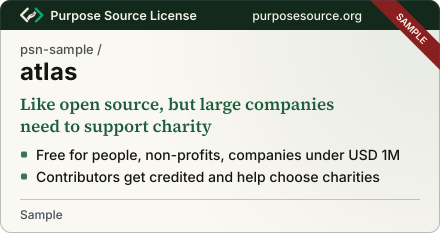
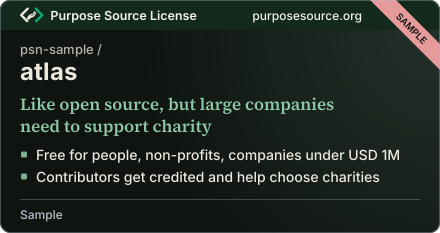
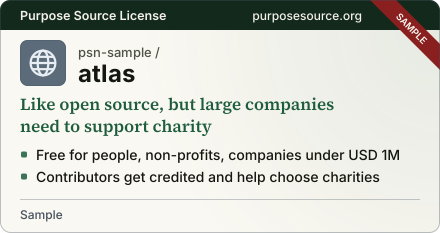
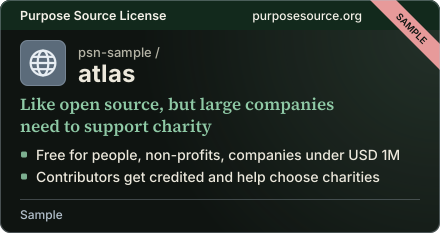
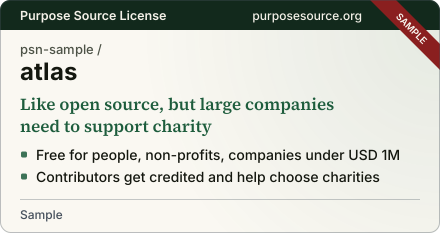
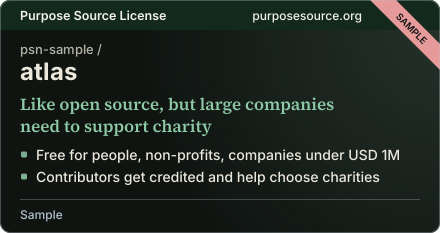
Under the card
The same two lines, at full size:
The small badge
The card brings the small badge with it, last in the README's own badge row. With Badge in place of Card, the small badge is all the README gets. It is a registered repository's own badge, shown with its card badge on the project sample, and it looks the same on a light page and a dark one.
If a repository leaves
A README card is drawn by purposesource.org from the registry, not written into the README. If the repository stops being registered, either card turns into a slim strip that reads “Status: see the registry page”, and nothing in the README has to change.